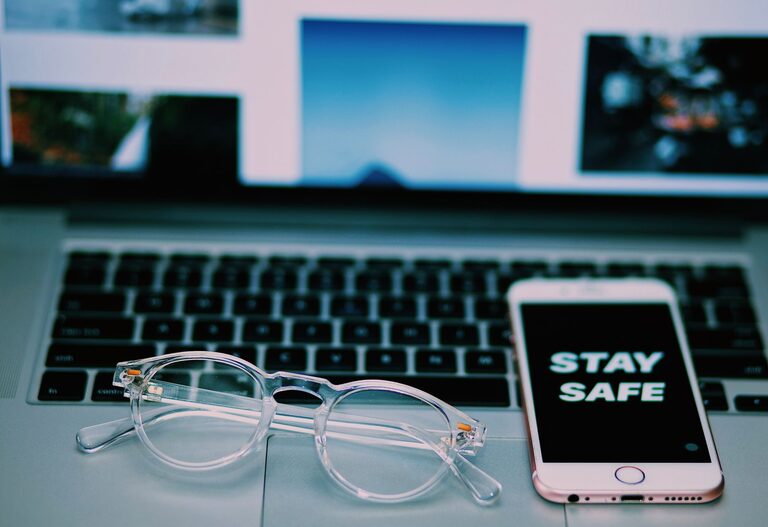

Spending hours in front of digital screens—whether it’s for work, study, or entertainment—has become a common part of modern life. While technology brings many benefits, extended screen time can lead to eye discomfort, strain, and sometimes headaches. Protecting your eyes during screen use is essential to maintain comfort and long-term vision health.
In this post, we’ll explore practical ways to reduce eye strain and keep your eyes healthy, even after long sessions on computers, tablets, or smartphones.
What Causes Eye Strain During Screen Time?
Before diving into prevention, it helps to understand why screens affect your eyes:
– Blue Light Exposure: Screens emit blue light, which can cause visual fatigue and may disrupt sleep if used before bedtime.
– Reduced Blinking: When staring at screens, people tend to blink less often, leading to dry, irritated eyes.
– Poor Lighting and Glare: Improper lighting or screen reflections can make your eyes work harder.
– Close Viewing Distance: Holding a device too close increases strain on eye muscles.
– Extended Focus: Continuously focusing on small fonts and details tires the eyes.
Now that you know some causes, let’s look at how to protect your eyes effectively.
1. Follow the 20-20-20 Rule
One of the simplest and most effective habits is the 20-20-20 rule:
– Every 20 minutes, look at something 20 feet away for at least 20 seconds.
This breaks continuous focus on your screen and relaxes your eye muscles, helping to reduce fatigue.
2. Adjust Your Screen Settings
Customizing your screen can make a big difference:
– Brightness: Match your screen brightness to your surrounding light. Too bright or too dim can cause strain.
– Text Size and Contrast: Increase font size and use high contrast settings to make reading easier.
– Blue Light Filter: Enable “night mode” or blue light filters, especially in the evening, to reduce blue light exposure.
Many devices now have built-in features to help with eye comfort—look for these in your settings.
3. Optimize Your Workspace Lighting
Good lighting minimizes glare and eye strain:
– Position your screen to avoid reflections from windows or overhead lights.
– Use soft, indirect lighting rather than harsh fluorescent lights.
– Avoid working in dark rooms with a bright screen.
Consider using an adjustable desk lamp that allows you to control the light direction and intensity.
4. Maintain Proper Screen Distance and Position
How you position your screen affects your eye comfort:
– Keep the monitor about an arm’s length (20-24 inches) away.
– The top of the screen should be at or slightly below eye level.
– Tilt the screen slightly upward to keep your neck and eyes comfortable.
For handheld devices, try to hold them at a comfortable distance, avoiding hunching or squinting.
5. Blink More Often and Use Artificial Tears
Blinking moistens your eyes and prevents dryness:
– Remind yourself to blink regularly, especially when reading or concentrating.
– If you experience dry eyes, consider using over-the-counter artificial tear drops.
Avoid rubbing your eyes, which can cause irritation.
6. Take Regular Breaks and Change Focus
Besides the 20-20-20 rule, longer breaks are helpful:
– Every hour, stand up and move around for at least 5 minutes.
– Look away from screens and focus on distant objects or nature.
Changing your environment gives your eyes and mind a well-needed rest.
7. Maintain Good Posture
Your posture can indirectly affect your eyes:
– Sit upright with your back supported.
– Keep feet flat on the floor.
– Ensure your screen is directly in front to avoid twisting your neck.
A comfortable posture encourages steady gaze and reduces tension.
8. Consider Specialized Eyewear
If you spend many hours on screens, you might benefit from:
– Computer Glasses: Lenses designed to reduce glare and improve focus.
– Blue Light Blocking Glasses: These filter out blue light to reduce strain and improve sleep patterns.
Consult an eye care professional to see if these options suit your needs.
9. Keep Your Devices and Screens Clean
Dust and smudges can reduce screen clarity, causing your eyes to strain more:
– Clean your screen regularly with appropriate cloths.
– Avoid eating or drinking near your devices to prevent residue buildup.
Clear screens help your eyes focus smoothly.
10. Get Regular Eye Checkups
Finally, regular visits to an eye doctor are important:
– Ensure your prescription is up to date if you wear glasses or contacts.
– Discuss any discomfort related to screen use.
– Get advice tailored to your specific vision needs.
Early detection of issues helps prevent long-term problems.
—
Final Thoughts
Protecting your eyes during screen time involves conscious habits and adjustments. By following the tips above, you can reduce eye strain, improve comfort, and support your vision health. Remember, your eyes work hard every day—give them the care they deserve!
If you found these tips helpful, please share them with friends or family who spend significant time in front of screens. Your eyes will thank you!
About the Author